
For public sector institutions, a website is often the main route through which citizens, businesses, journalists, and partner organisations access information and services. When people visit an institutional website, they are usually trying to complete a specific task quickly: find a contact, download a form, understand a procedure, or check a deadline. This is why the three click rule remains a useful practical principle. In simple terms, it suggests that users should be able to reach the information they need within three interactions from the homepage or another main entry point.
Although modern user experience practice is more nuanced than a strict click count, the underlying idea is still highly relevant for EU public sector websites: information should be easy to find, clearly labelled, and logically organised. If users must search through multiple layers of navigation, they are more likely to become frustrated, abandon the task, or contact the institution directly for help. This increases administrative burden and can reduce trust in the institution’s digital services.
Why the three click rule matters for public institutions
Institutional websites are not promotional platforms in the same way as commercial websites. Their primary role is to provide reliable public information and support access to services. For this reason, navigation should be designed around user needs rather than internal organisational charts. Citizens do not necessarily know which department is responsible for a service, but they do know what they are trying to do.
Applying the three click rule helps institutions simplify access to high-value content such as service descriptions, legal information, procurement notices, policy documents, accessibility statements, privacy notices, and contact details. It also supports transparency and equal access, which are central expectations for public bodies across the EU.
How to apply the principle effectively
Organise content by user tasks
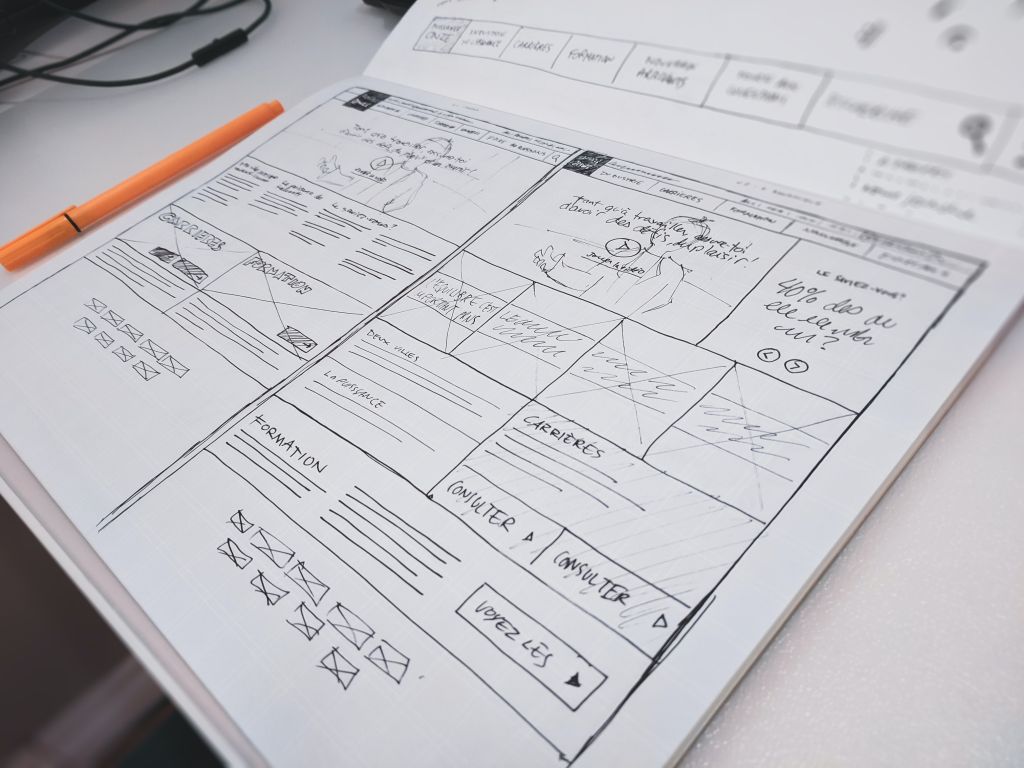
The most effective way to reduce unnecessary clicks is to structure the website around common user journeys. Instead of grouping content only by internal departments, create clear sections based on tasks such as Apply, Report, Pay, Download, or Contact. This makes the site easier to understand for first-time visitors and reduces dependence on prior institutional knowledge.
Use clear and predictable navigation labels
Menu items should use plain language and avoid administrative jargon. Labels such as Services, Funding opportunities, Public consultations, or Data protection are usually more helpful than internal programme names or abbreviations. Consistent naming across menus, landing pages, and links helps users confirm that they are on the right path.
Prioritise high-demand information
Not all content should be treated equally. The most frequently requested information should be visible from the homepage, section landing pages, or prominent quick links. For many public institutions, this includes opening hours, service access conditions, application forms, complaints procedures, news, and emergency information.
Support navigation with search and page structure
The three click rule should not be seen as a substitute for a good search function. A well-configured site search, combined with descriptive page titles, headings, breadcrumbs, and related links, gives users multiple ways to find information. This is especially important on larger institutional websites with extensive archives, legal documents, or multilingual content.
Accessibility and compliance considerations
For EU public sector institutions, ease of navigation is closely linked to accessibility obligations. Users should be able to move through the site using a keyboard, screen reader, or assistive technology without confusion or unnecessary repetition. Clear heading structures, meaningful link text, and consistent navigation patterns improve usability for everyone and support compliance with applicable accessibility requirements.
GDPR and transparency obligations should also be considered when designing information architecture. Privacy notices, cookie information, data subject rights, and contact details for data protection matters should be easy to locate, not buried deep in the website. The same applies to accessibility statements, legal notices, and other mandatory institutional information.
Practical recommendations
- Review the top user tasks. Identify the information and services visitors look for most often, and make sure these can be reached quickly from the homepage or section pages. This reduces friction and helps institutions serve the public more efficiently.
- Reduce unnecessary navigation layers. If users must open several category pages before reaching useful content, the structure is likely too complex. Consolidating sections and removing duplicate pathways can improve clarity.
- Test with real users. Internal teams often know the institution too well to judge navigation objectively. Short usability tests with citizens, businesses, or staff can quickly reveal where users get lost.
- Maintain consistency across the site. Navigation, terminology, and page layouts should follow the same logic throughout the website. Consistency builds confidence and makes repeat visits easier.
- Monitor and improve continuously. Use analytics, on-site search data, and feedback from contact centres to identify pages that are hard to find. Regular review helps keep the website aligned with changing public needs.
The three click rule should be treated as a practical benchmark rather than a rigid technical requirement. Its real value lies in encouraging institutions to design websites that are intuitive, accessible, and focused on user needs. For public sector decision-makers, this means better service delivery, lower support demand, and a stronger digital presence that meets expectations for accessibility, GDPR transparency, and public accountability.